Custom software development
Custom software development
We design and build business software around the client's tasks:
requirements analysis, architecture, development, rollout and support.
A working prototype in as little as one week once the scope
of the first stage is agreed.
E-mail: bfuturecs@live.com ·
Request in a messenger:
Telegram,
MAX
First stage
A prototype in one week
Once the scope of the first stage is agreed, we build a working prototype:
the key screens or the main user scenarios with real logic and connected integrations.
The prototype lets you try the solution in practice before full development begins.
Seven calendar days is achievable with a clear problem statement and a limited set of
features. The contents of the prototype and the acceptance criteria are agreed in writing
before work starts.
How we work
A clear order of work, documented decisions and predictable deadlines.
Requirements and architecture
Requirements are clarified before development starts. The architecture and the work plan
take into account the client's existing processes, regulations and constraints.
Technology
The stack is chosen for the load, security and schedule requirements:
web applications, services, integrations, desktop and mobile clients.
Operation and support
The system is designed to be run: logging, failure diagnostics,
updates and further development after it goes live.
AI in everyday work
We build AI-powered utilities that speed up employees' everyday tasks: preparing
documents, sorting requests, finding and reconciling data.
A utility for a specific task
Each utility handles one routine operation: drafting a letter or a report from a
template, reconciling documents, extracting data from scans, parsing a spreadsheet.
In the tools you already use
The utilities work with the programs, documents and knowledge bases
already in use, so employees do not have to change the way they work.
From one task to a toolkit
We start with the one operation that takes the most time
and, based on experience with it, add utilities for other tasks.
Our products
Our own desktop applications, grown out of clients' production tasks. They run
offline on a Windows or Linux workstation; no internet connection or subscription
is required.
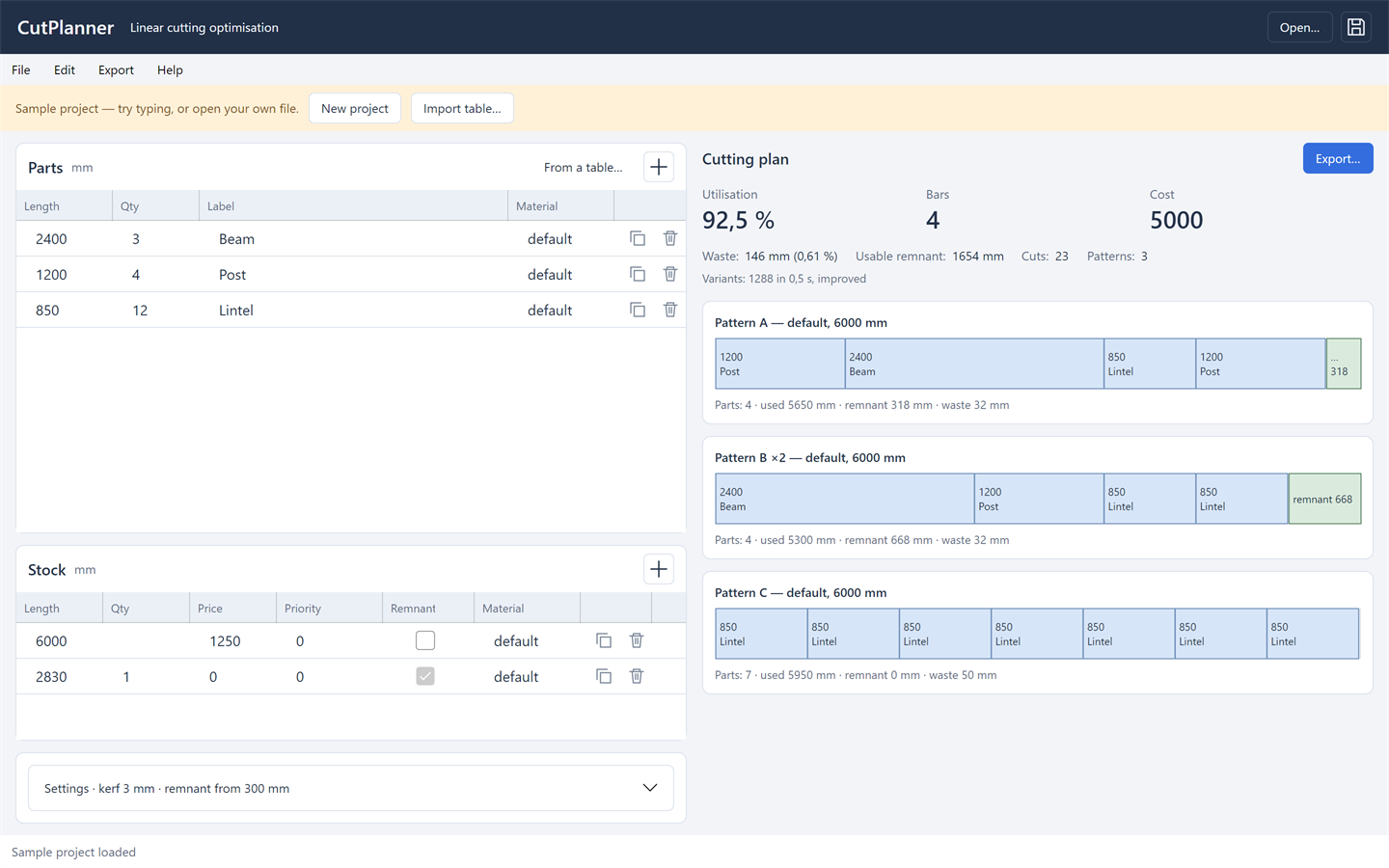
Cutting bars, pipes and profiles with minimal waste
Lays out cut pieces on stock lengths, taking into account the saw kerf, end trimming and the minimum usable offcut. The plan is recalculated as you type: parts and stock on the left, totals and to-scale cutting maps on the right.
- Calculation. Saw kerf, left and right end trimming, minimum usable offcut.
- Plan quality. A speed ↔ quality setting: from a single pass to 15 seconds of searching for variants.
- Input and output. Input parsing: «1200x4», «1200 4 pcs», «1.2 m», «47 1/2"», «2400 Beam».

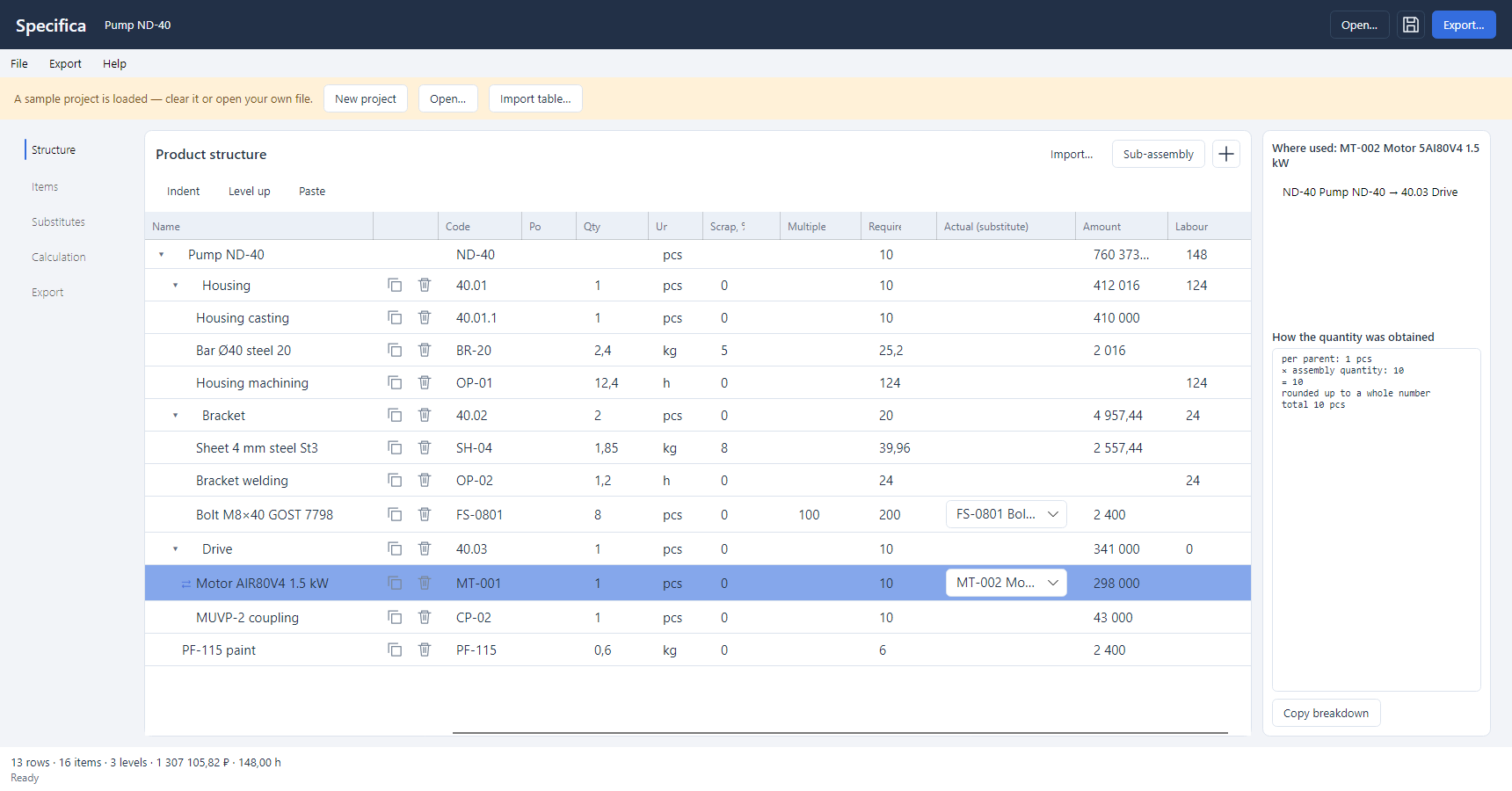
Multi-level bills of materials with cost, labour and substitutes
Rolls up quantities through the product tree, substitutes interchangeable components by the rule you set and calculates the cost of each variant. Switching the variant recalculates the costing without touching the bill of materials.
- Product tree. Editing in place: a sibling row, a subassembly, changing the level with Alt+→ and Alt+←.
- Interchangeable components. A group with a base item, a factor and a direction of substitution.
- Cost and figures. Cost by a fixed chain: materials → direct costs → cost price → price.

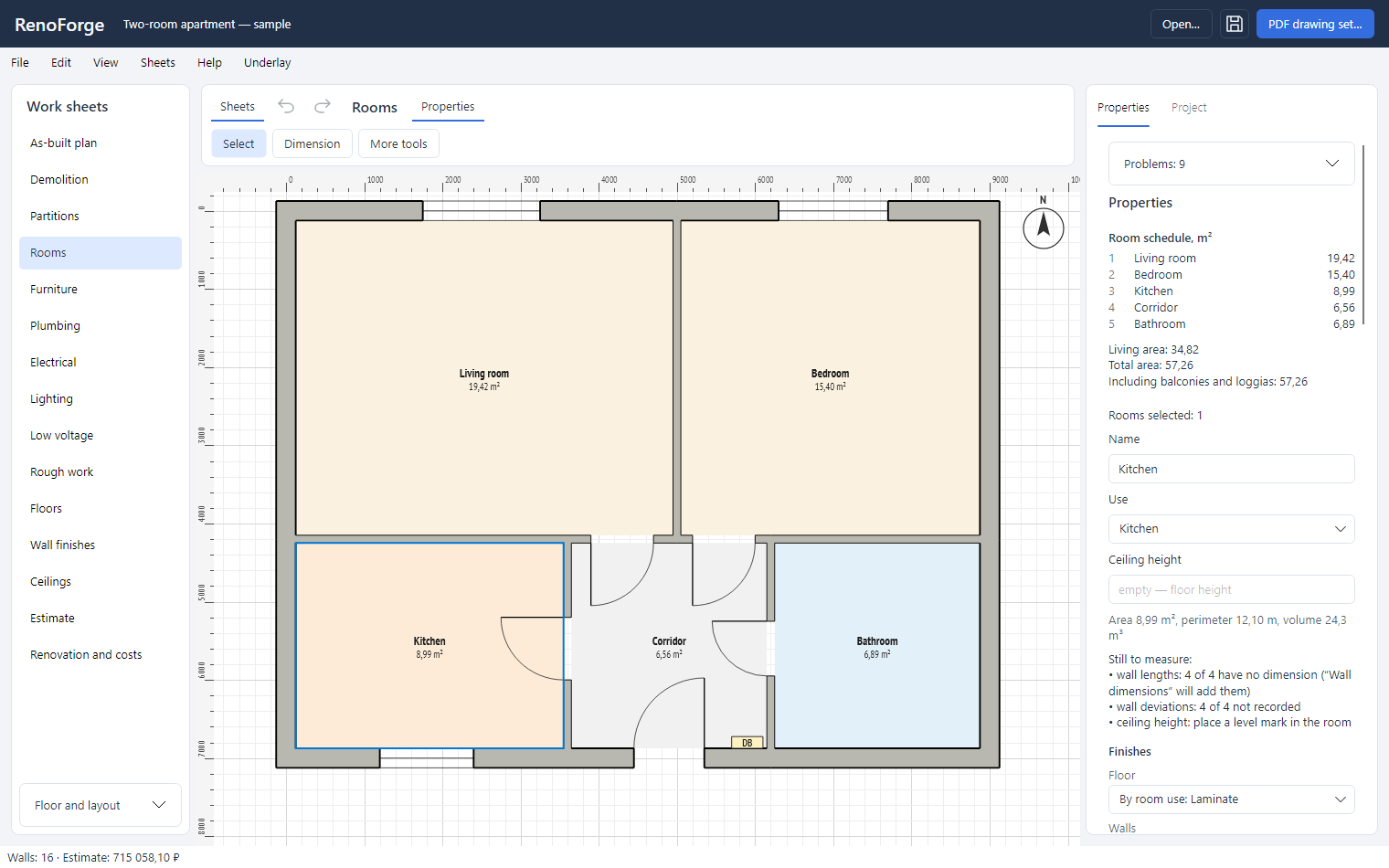
Apartment renovation planner: survey, replanning, estimate and a drawing set for the crew
A survey plan of the apartment from wall dimensions, demolition and new partitions, rooms with areas and a room schedule, furniture, plumbing, electrics and lighting on separate sheets, an estimate of works and materials at your prices, a renovation expense log and a PDF drawing set for the crew. Everything stays on your computer.
- Apartment plan. Walls by length and thickness, dimensions typed from the keyboard; rooms, areas, perimeters and the room schedule are found automatically.
- Furniture and services. Furniture, modular kitchens, plumbing, electrics and lighting from the catalogue; your own item types and favourites.
- Finishes and estimate. Rough works, floors, wall finishes and ceilings by room, with schedules.
They run right in the browser, with no sign-up and nothing to install.
How many tiles and boxes to buy for a wall or floor, allowing for openings, joints and cuts.
Kilograms and bags of dry mix from the area and the average layer thickness.
Circuit current, permissible copper cable cross-section and voltage drop.
Fixes text in the wrong encoding, escaped text and text typed in the wrong keyboard layout.
Format, minify and validate JSON.
Convert CSV to JSON and back: delimiter autodetection, header row, quotes and line breaks.
Encode and decode text in Base64 and Base64URL.
Encode and decode URLs and query strings.
Convert a color between HEX, an ARGB integer and rgba().
Decode JWT claims and verify the signature.
A cron schedule in plain words and its next runs in any time zone: crontab, Spring, Hangfire, Quartz.
Tell us about your task
Describe the task, the timeline you have in mind and the result you expect. We will
reply with the next step: a call, a preliminary estimate or a pilot project.